How to Export Twitter (X) Followers in 2026 — The Complete Guide

You need your Twitter followers list as a file on your computer. Maybe you are migrating platforms, auditing your audience, doing competitor research, or building a lead list. Whatever the reason — X (formerly Twitter) does not give you a download button.
This guide shows you exactly how to export any account's followers and following list to CSV and JSON in under 2 minutes — for free.
Why You Cannot Just Download Followers From X
X removed its free API tier in 2023. The paid API starts at $100/month — and even then, follower exports are limited and painfully slow.
X's data export feature (Settings > Your Account > Download Archive) only gives you your own data. It does not include a list of your followers with their profile details.
That leaves two options:
- Pay $100+/month for API access and write code to paginate through endpoints yourself
- Use a browser extension that works with your existing logged-in session — no API key, no code, no monthly bill
Option 2 is what most people actually do. Here is the best way to do it.
The Fastest Method: XTract Chrome Extension
XTract is a free Chrome extension that exports any public account's followers and following list to both CSV and JSON — with a single click.
What makes it different from other tools
| Feature | XTract | Other Tools |
|---|---|---|
| Price | Free & unlimited | $29-99/month |
| Export format | CSV + JSON (both, automatically) | Usually one or the other |
| Data fields | 14 fields per user | Typically 3-5 |
| Requires API key | No | Usually yes |
| Requires your password | No | Some do |
| Data sent to third parties | Never | Often yes |
| Works on any public account | Yes | Sometimes limited to your own |
Data you get for each follower
Every exported user includes:
- Username (@handle) and display name
- Bio/description
- Follower count and following count
- Total tweet count
- Verified status (legacy + X Premium blue check)
- Profile image and banner image URLs
- Location
- Account creation date
- Website URL
- X user ID
That is 14 data points per follower — exported automatically into a clean, structured file you can open in Excel, Google Sheets, or import into any CRM.
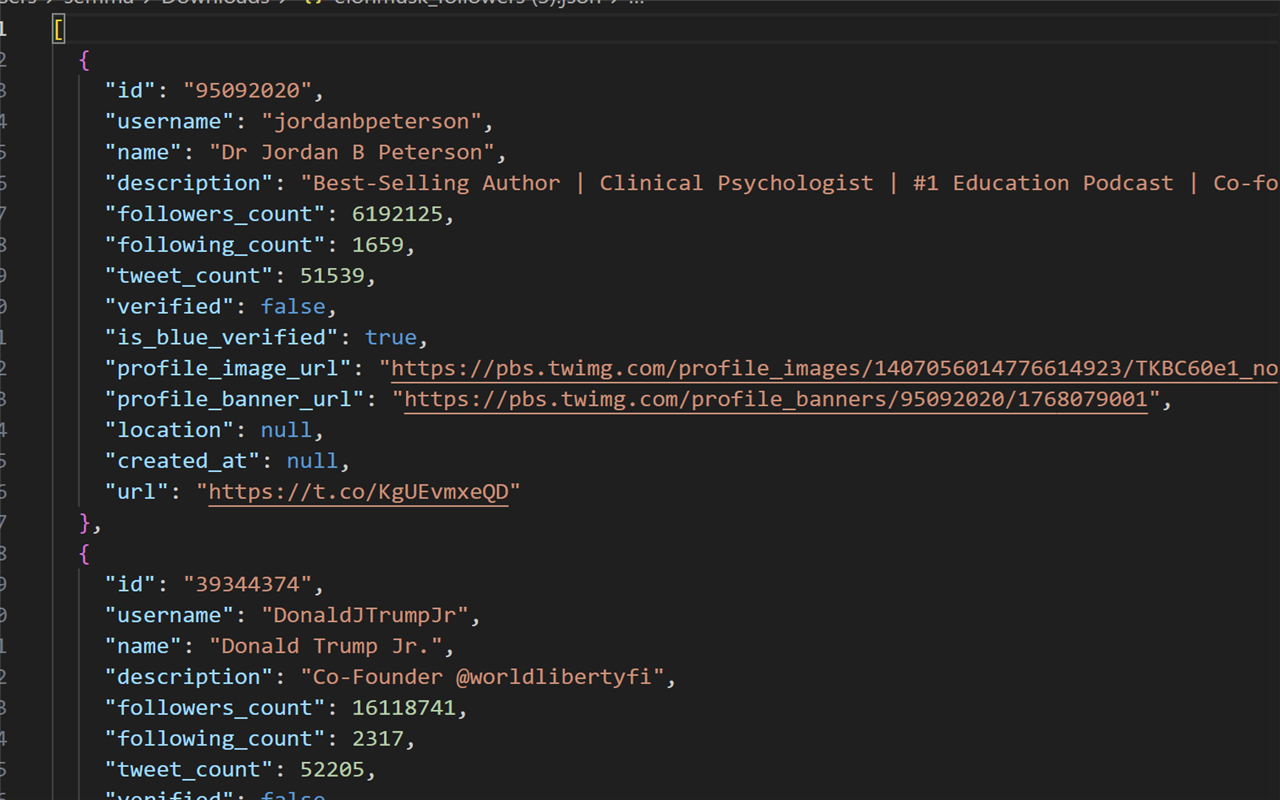
Sample JSON output — every follower includes all 14 data fields
Export your X/Twitter followers now
Install XTract free from Chrome Web Store →Step-by-Step: Export Followers in 2 Minutes
Step 1: Install XTract
Install the XTract extension from the Chrome Web Store. It is free. No account creation required.
Step 2: Make sure you are logged into X
Open x.com and make sure you are logged into your account. XTract uses your existing browser session — it never asks for your password.
Step 3: Click the XTract icon and enter a username
Click the XTract icon in your Chrome toolbar. Type any public username — for example, @elonmusk or just elonmusk.
Step 4: Click "Export Followers" or "Export Following"
Choose what you want to export:
- Export Followers — people who follow the account
- Export Following — accounts that the user follows
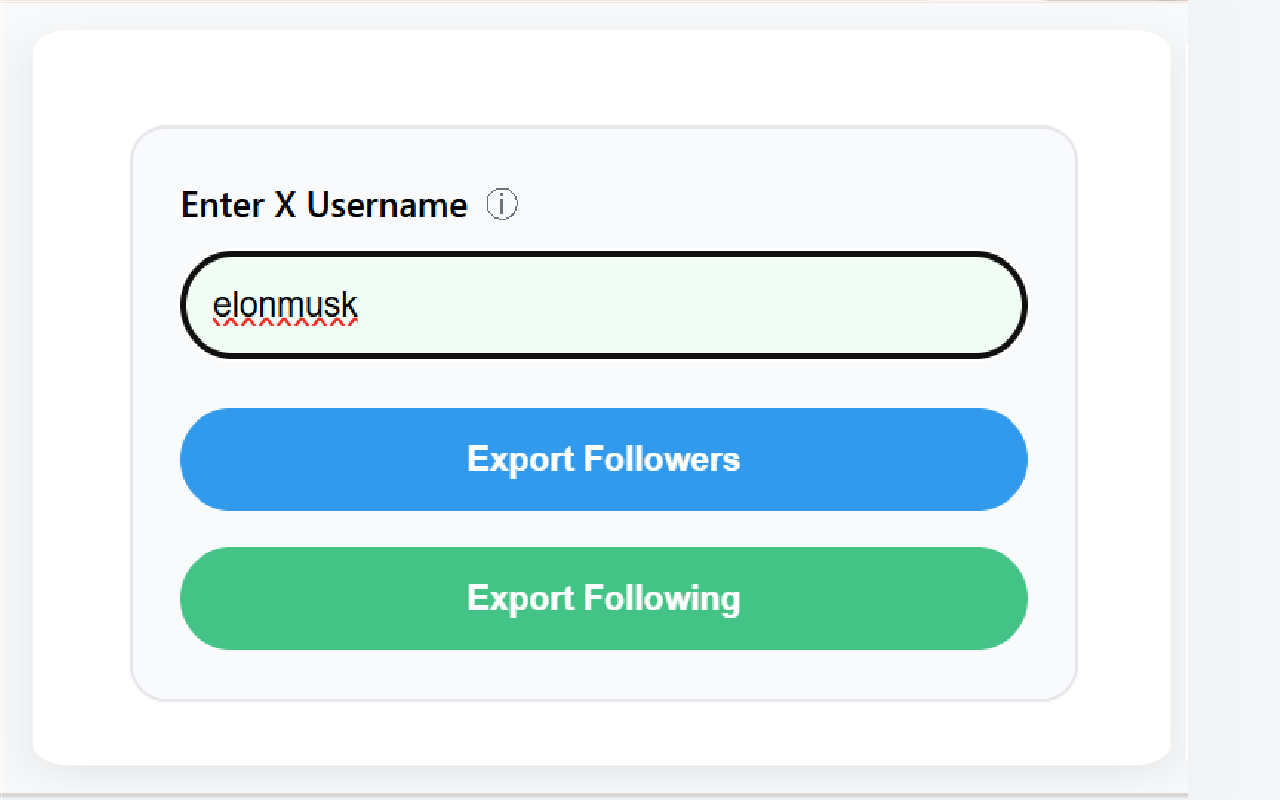
Enter any public username and choose what to export
Step 5: Enter how many to download
XTract will ask how many followers you want to export. Enter a number or leave it blank for all of them.
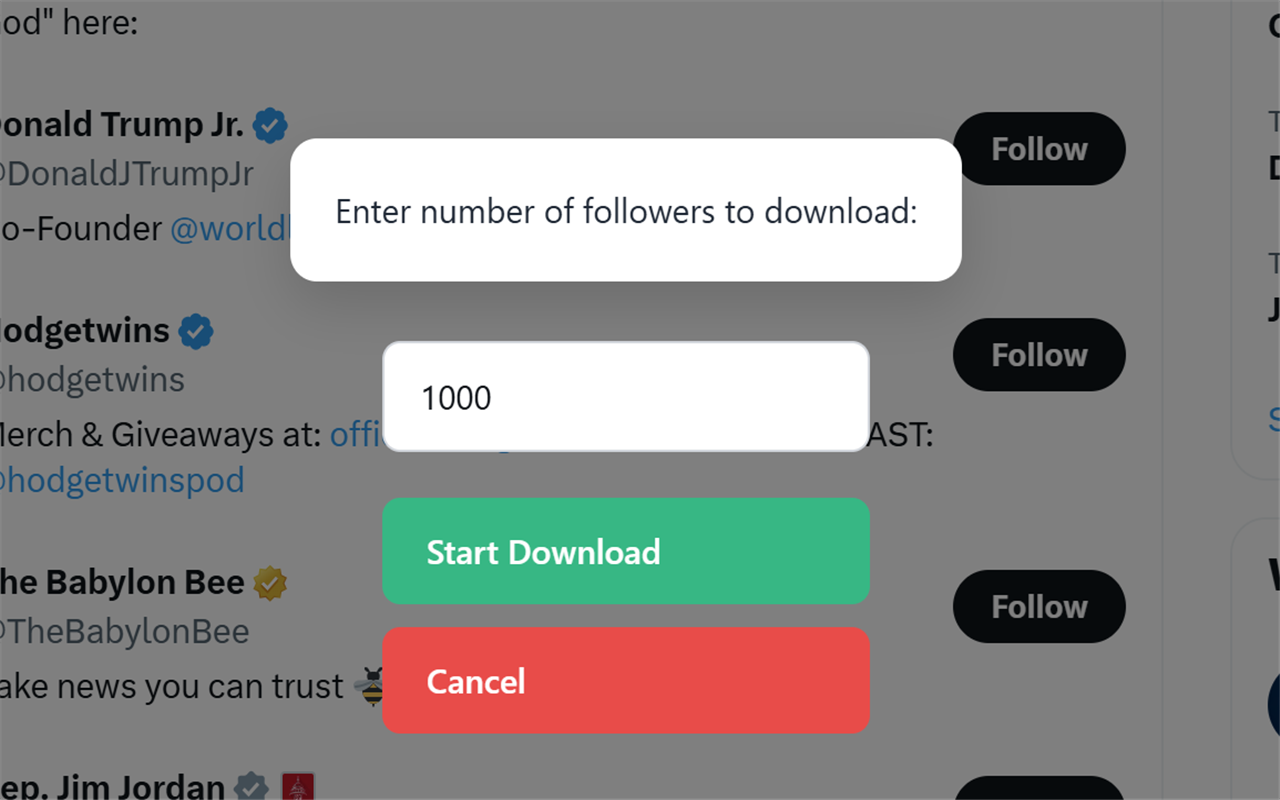
Enter how many followers to export — or leave blank for all
Step 6: Wait and download
XTract opens the profile page and starts collecting data automatically. You will see a live progress counter:
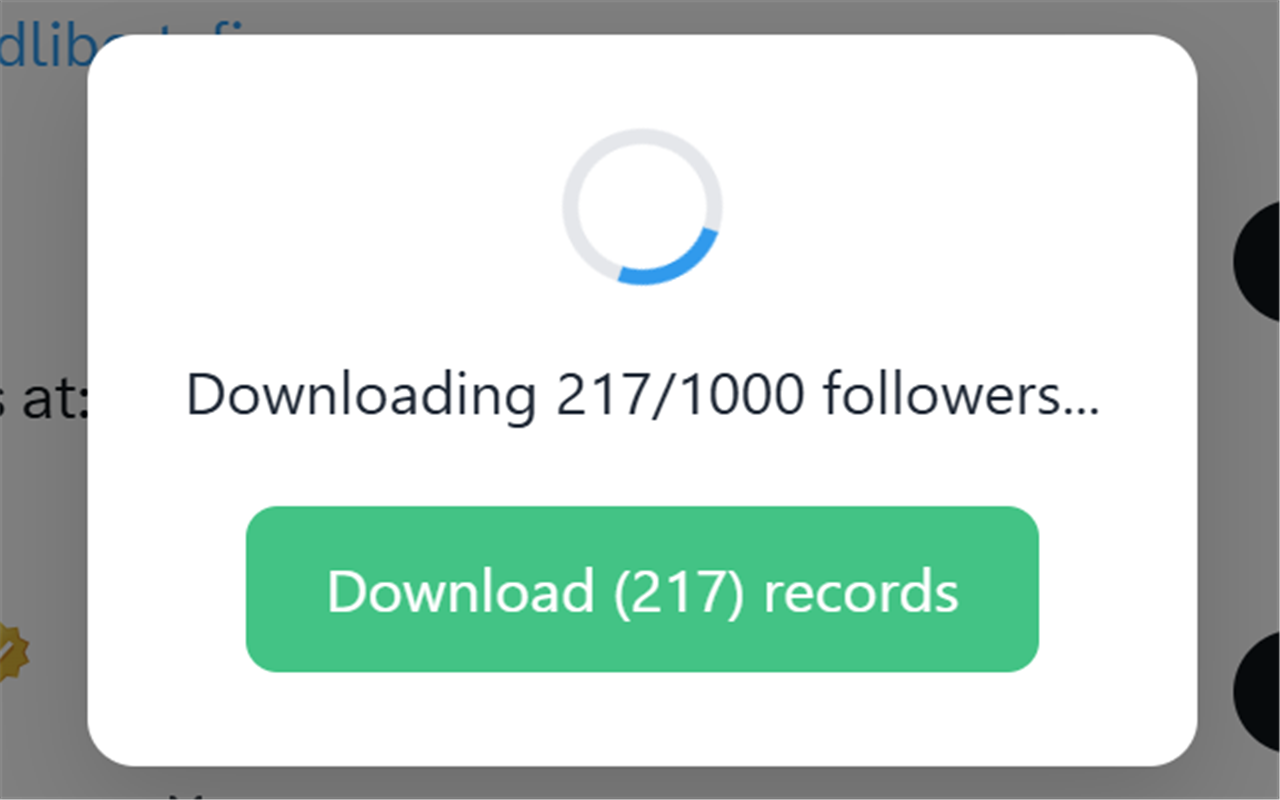
Live progress counter with option to download partial results anytime
When it is done, two files download to your computer:
username_followers.jsonusername_followers.csv
That is it. Open the CSV in Excel or Google Sheets and you have a clean spreadsheet of every follower with all 14 data fields.
Common Use Cases
1. Competitor Analysis
Export a competitor's followers to see who is following them. Cross-reference with your own followers to find gaps. Import into a CRM to start building relationships.
2. Lead Generation
Export followers of accounts in your niche. Filter by location, follower count, or bio keywords in Excel. You now have a targeted list of potential customers — with their bios, websites, and audience sizes.
3. Influencer Research
Looking for micro-influencers in your industry? Export the following list of a major account in your niche. Sort by follower count in Excel to find accounts with 10K-100K followers who are already connected to your target audience.
4. Audience Backup
Platforms change. Algorithms shift. Export your own followers periodically so you always have a backup of your audience — independent of any platform.
5. Academic & Market Research
Researchers studying social networks, political movements, or market trends can export follower networks for analysis. The JSON format works directly with Python, R, and data analysis tools.
6. Migration Planning
Moving to Bluesky, Mastodon, or Threads? Export your followers list first so you can find and reconnect with them on the new platform.
How XTract Works (And Why It Is Safe)
You might be wondering: is this safe?
Yes. Here is why:
XTract never sees your password. It works by using the authentication tokens your browser already has from your normal X login. These tokens stay on your computer — they are stored locally in Chrome's extension storage and are never sent to any external server.
Your data never leaves your machine. The export files are generated locally in your browser and saved directly to your downloads folder. No cloud processing. No third-party servers. No analytics. The only network requests XTract makes are to X's own servers — the same ones your browser is already talking to.
It uses X's internal API responsibly. XTract includes built-in rate limiting (2-second delays between requests, automatic 60-second pauses when X says "slow down") to avoid triggering any abuse detection. It is designed to behave like a normal user browsing profiles — just faster.
Advanced Settings
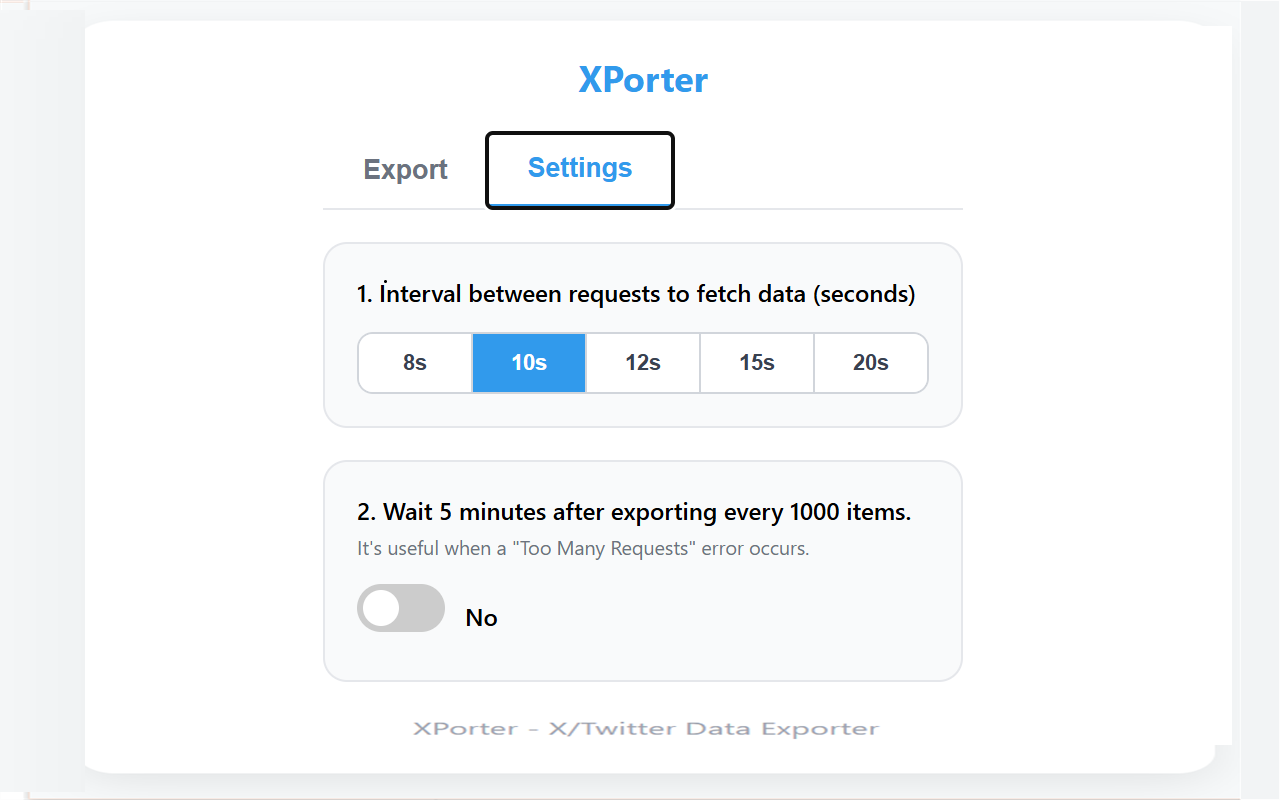
XTract settings — control speed and auto-pause for large exports
Request Interval
Control the delay between API requests. Options: 8s, 10s (default), 12s, 15s, or 20s. Lower means faster exports but higher chance of rate limiting. Higher means slower but safer for very large accounts.
Auto-Pause Every 1,000 Users
Toggle this on for large exports (10K+ followers). XTract will automatically pause for 5 minutes after every 1,000 users to stay well under X's rate limits.
XTract vs. Other Methods
vs. Twitter API ($100+/month)
The official API requires a paid developer account, coding knowledge, and pagination handling. XTract does all of this for free with a single click.
vs. Manual Copy-Paste
Scrolling through a followers list and copying names one by one? Life is too short. XTract gives you structured data with 14 fields per user — automatically.
vs. Web Scraping Scripts
Custom Python scripts break every time X updates their website. XTract's three-layer query ID system adapts automatically — no code maintenance required.
vs. Other Chrome Extensions
Most alternatives limit free exports to 50-100 users, then charge $29-99/month for unlimited access. XTract is free and unlimited.
Who Uses XTract?
- Marketers building targeted outreach lists
- Sales teams prospecting on X
- Researchers analyzing social networks
- Creators understanding their audience demographics
- Agencies reporting on client account growth
- Recruiters sourcing candidates who follow industry leaders
- Founders doing competitive intelligence
Get started in 30 seconds
Install XTract free from Chrome Web Store →Frequently Asked Questions
Is XTract free?
Yes, completely free with unlimited exports. There are no hidden fees, premium tiers, or usage limits.
Can I export followers of any account?
Any public account. Private (protected) accounts' followers are not accessible unless you follow them.
What format is the export?
Both CSV and JSON are generated automatically. CSV opens in any spreadsheet app like Excel or Google Sheets. JSON works with programming languages and data analysis tools.
How long does it take?
It depends on the number of followers. Rough estimates: 1,000 followers takes about 2 minutes, 10,000 takes about 20 minutes, and 100,000 takes about 3-4 hours. The built-in delays are intentional — they keep your account safe from rate limiting.
Do I need a Twitter/X API key?
No. XTract works with your existing logged-in browser session. No API key, no developer account, no application approval.
Will this get my account banned?
XTract is designed to mimic normal browsing behavior with conservative rate limiting. It makes one request every 10 seconds by default — far slower than normal browsing. No account has reported issues.
Does it work with the new X (Twitter) changes in 2026?
Yes. XTract automatically adapts to X's API changes. It captures fresh query IDs from X's own code every time you use it, so it does not break when X deploys updates.
Can I export to Google Sheets or Excel?
Yes — open the CSV file directly in Google Sheets (File > Import > Upload) or double-click the CSV to open it in Excel automatically.
XTract is developed by Irma Pugachev. For questions or licensing inquiries: Semma.irma@gmail.com
Copyright 2024-2026. All rights reserved.